Here is how to add those fancy shapes from the demo.
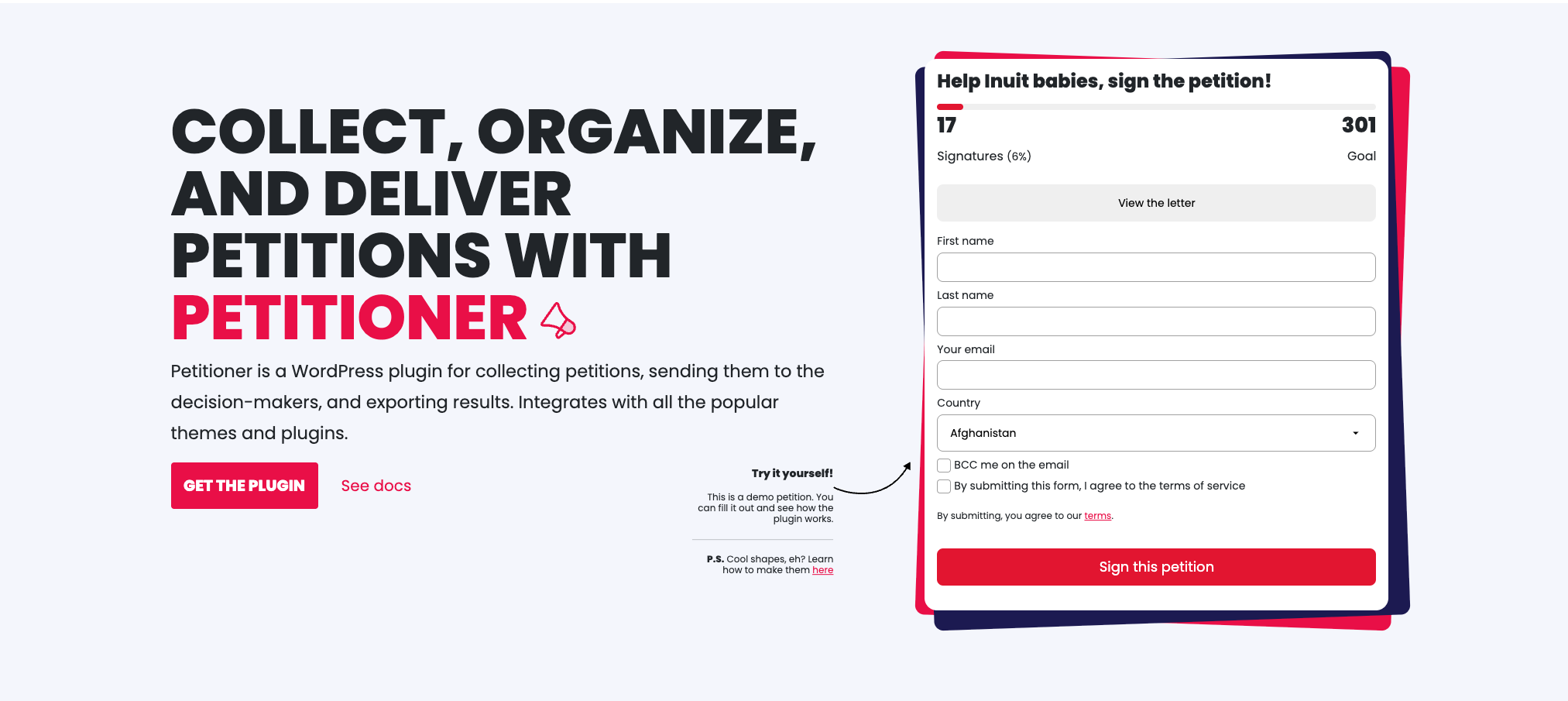
Doing this is fairly simple, but it does require some coding. Here is what you need to do:
Step 1. Wrap your petition with a div
You will need to add a wrapper to the petition shortcode so it looks something like this:
<div class="shape-wrapper">[petitioner-form id="{YOUR_FORM_ID_HERE}"]</div>Step 2. Add custom CSS
Go to Petitioner / Settings and find the Custom CSS section. When you do, add the following CSS:
.shape-wrapper {
  position: relative;
}

.shape-wrapper:before, .shape-wrapper:after{
    content: "";
    position: absolute;
    display: block;
    top: 0;
    left: 0;
    width: calc(100% + 16px);
    height: calc(100% + 16px);
    border-radius: 8px; /* play around with this value */
    z-index: 0;
}

.shape-wrapper:before {
    background: red; /* use your color here */
    transform: rotate(2deg);
}

.shape-wrapper:after {
    background: blue; /* use your color here */
    transform: rotate(-2deg);
}

.shape-wrapper .petitioner {
    position:relative;
    z-index: 2;
}
Step 3. Enjoy 🙂
That’s it! You now have your own version of the shapes!