If you need to add custom form fields to your petitions, there are several ways to accomplish this. In this guide, we’ll go over the available options, from simple renaming to full programmatic registration.
Method 1 (the easiest): repurpose an existing field
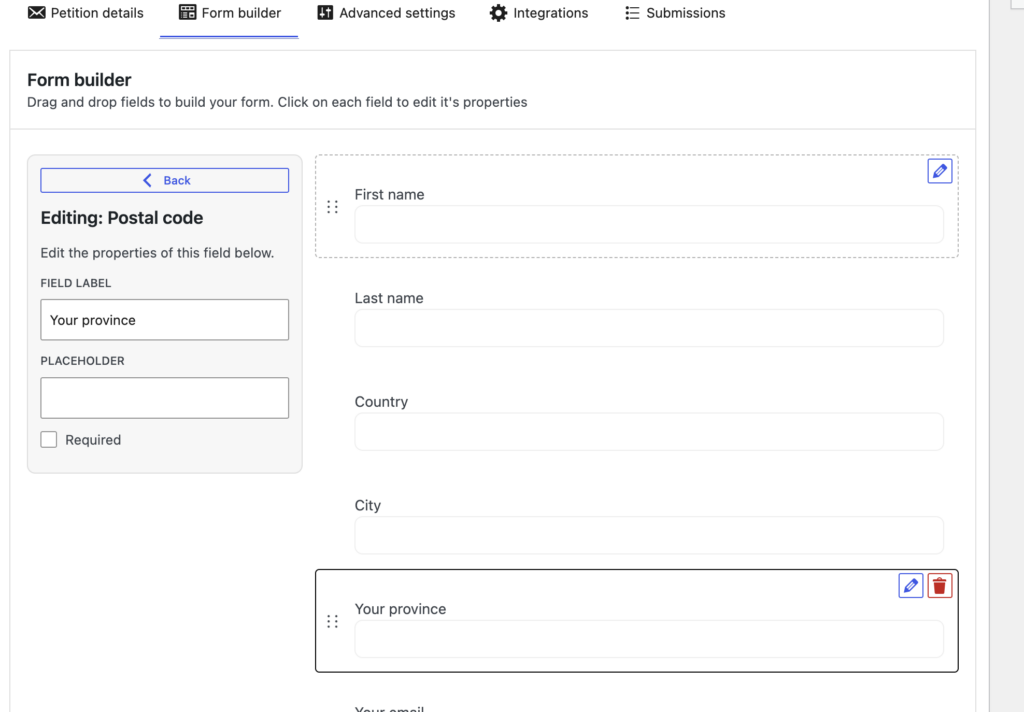
Petitioner allows you to control the labels of each form field on a per-form basis, giving you a great deal of flexibility. To repurpose a field, simply drag one that matches your desired input type (text, checkbox, phone number, etc.) into your form and rename its label.
This will automatically update the column header in your export settings, where you can also modify it further before downloading your data.
Note: The caveat to this approach is that the original field name will still appear in the admin UI, and you might experience incorrect browser autocomplete behavior on the frontend (e.g., a browser suggesting a phone number for what is now functionally a “City” text field).
Method 2: register via code snippets
If you need a dedicated, newly registered field rather than repurposing an existing one, you can register fields programmatically. This requires minimal coding and ensures your custom field behaves consistently across the entire plugin.
Note: Register fields on init priority 6 (or earlier). Petitioner
registers its Gutenberg blocks on priority 10, so a later hook can miss your field in the Submissions block “Fields
to show” list until you reload the editor.
- Find a way to run custom PHP code on your website. You can either add this to your child theme’s
functions.phpfile, or install a free plugin like Code Snippets. - Copy one of the snippet recipes below and modify the properties to match your needs.
Here are a few recipes to get you started:
Custom checkbox:
add_action( 'init', function() {
    // Make sure the registry class is loaded before trying to use it
    if ( ! class_exists( 'AV_Petitioner_Field_Registry' ) || ! method_exists( 'AV_Petitioner_Field_Registry', 'register_form_field' ) ) {
        return;
    }

    $custom_config = [
      'fieldKey'          => 'my_custom_checkbox',
      'type'              => 'checkbox',
      'fieldName'         => 'My new checkbox',
      'label'             => 'I really like pizza',
      'required'          => true,
      'removable'         => false,
      'sanitize_callback' => function ($value) {
        return rest_sanitize_boolean($value) ? '1' : '0';
      }
    ];

    AV_Petitioner_Field_Registry::register_form_field($custom_config);
}, 6 );
Custom dropdown:
add_action( 'init', function() {
    // Make sure the registry class is loaded before trying to use it
    if ( ! class_exists( 'AV_Petitioner_Field_Registry' ) || ! method_exists( 'AV_Petitioner_Field_Registry', 'register_form_field' ) ) {
        return;
    }

    $custom_config = [
        'fieldKey'     => 'city_dropdown',
        'type'         => 'select',
        'fieldName'    => 'City',
        'label'        => __( 'City', 'petitioner-custom' ),
        'defaultLabel' => __( 'City', 'petitioner-custom' ),
        'required'     => false,
        'options'      => [
            __( 'Stockholm', 'petitioner-custom' ),
            __( 'Gothenburg', 'petitioner-custom' ),
            __( 'Malmö', 'petitioner-custom' ),
            __( 'Uppsala', 'petitioner-custom' ),
            __( 'Västerås', 'petitioner-custom' ),
            __( 'Örebro', 'petitioner-custom' ),
            __( 'Linköping', 'petitioner-custom' ),
            __( 'Helsingborg', 'petitioner-custom' ),
        ],
    ];

    AV_Petitioner_Field_Registry::register_form_field($custom_config);
}, 6 );
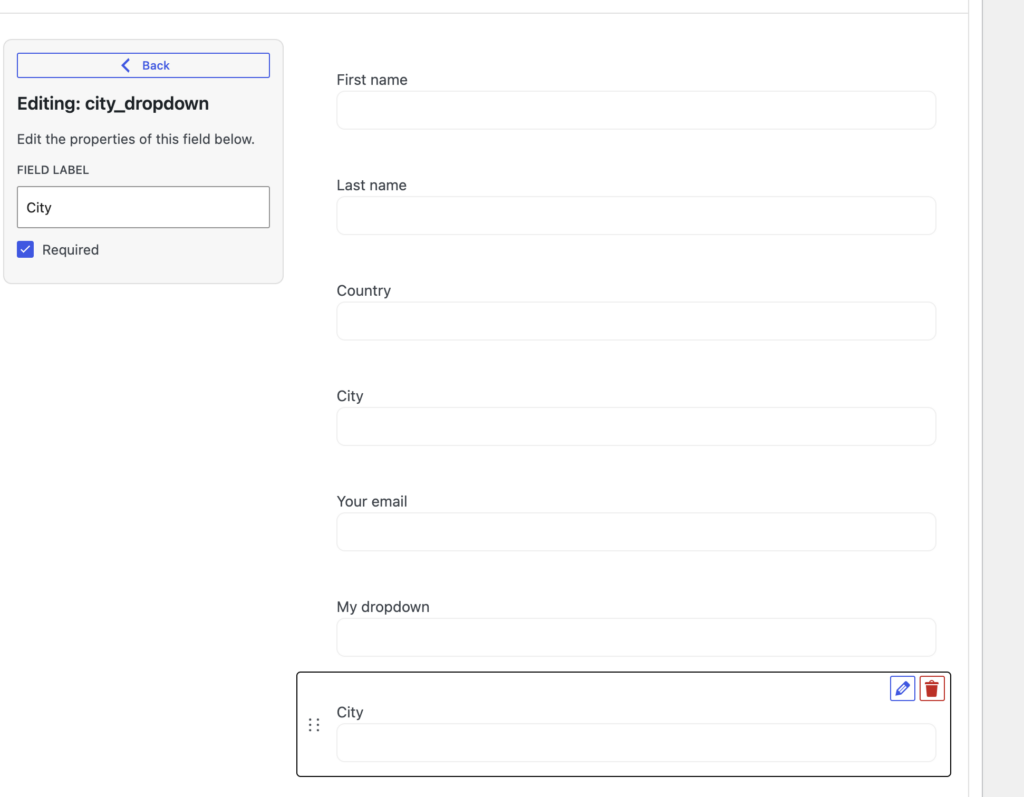
Once registered, this will create a new, draggable field available in all of your petitions:
Method 3: unlimited custom fields with Petitioner Pro (no code required)
If you want the ultimate flexibility without touching a single line of code, the Pro add-on is exactly what you need.
Petitioner Pro features a powerful UI that lets you create unlimited custom fields directly from the WordPress dashboard. You get full control over field types, validation, and integration mapping, saving you development time and eliminating the need to maintain custom PHP snippets.